
What is Apple RoomPlan? Apple's room scanner, and how to use it on your iPhone
Short answer
RoomPlan is Apple's room-scanning technology, a Swift API in iOS and iPadOS since version 16. It uses the camera and LiDAR Scanner of an iPhone Pro or iPad Pro to find walls, doors, windows and furniture and turn the room into a 3D model with their dimensions.[1][2] It is not an app you download: you use it through an app built on it, such as PlaceAnew, free on the App Store.
Reviewed 15 sources7 min read
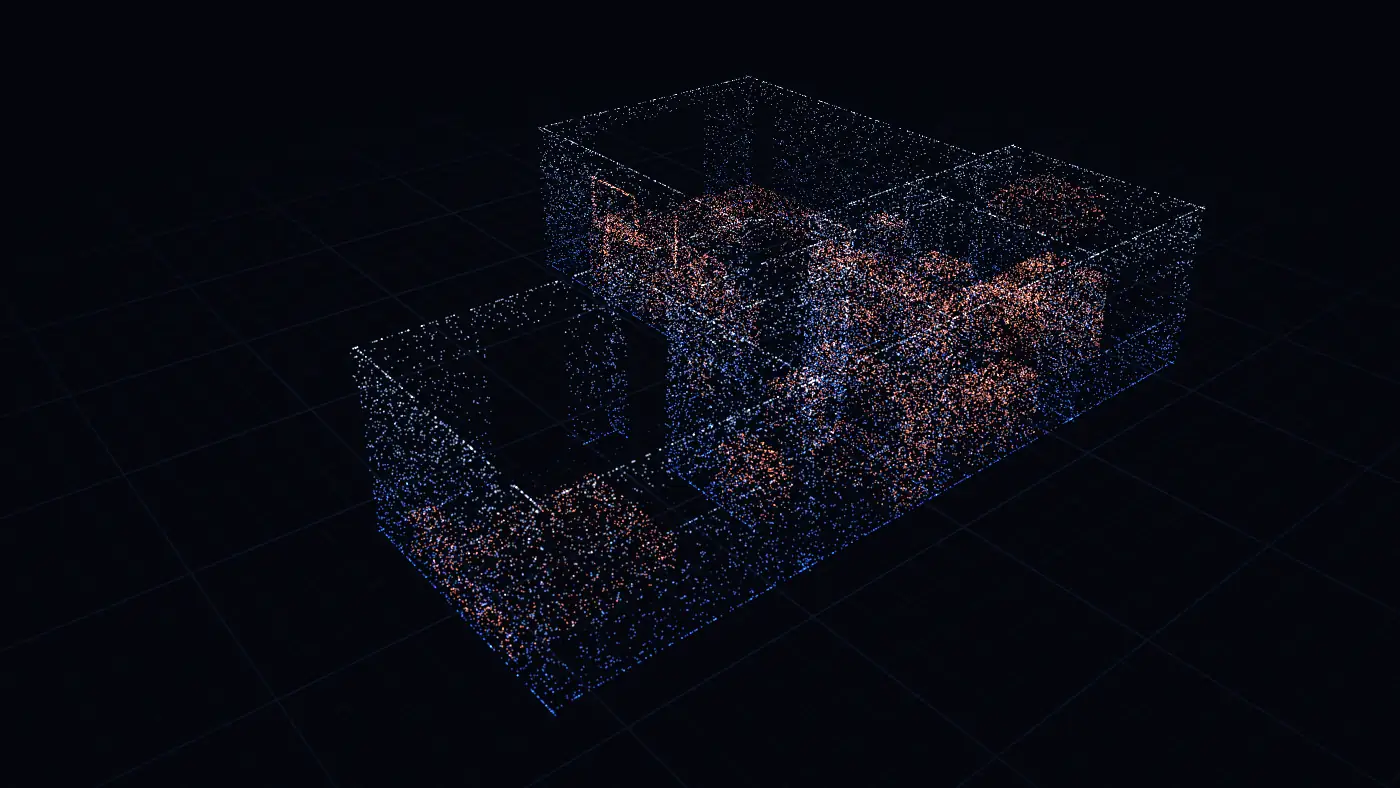
What is RoomPlan? Apple's room scanner in one paragraph
RoomPlan is the part of iOS that turns a walk through a room into a measured 3D model. Introducing RoomPlan, Apple called it a new Swift API, powered by ARKit, that uses the camera and the LiDAR Scanner on iPhone and iPad to create a 3D floor plan of a room, with dimensions and the types of furniture in it.[1] Apple introduced it at WWDC22, and it has been part of iOS and iPadOS since version 16.[2]
RoomPlan's scanning results are not a photo and not a cloud of points. Its machine-learning models name what they see, wall, window, opening, door, sofa or stove, and give each one its real-world size and position. Apple calls this a parametric scan: data an app can change and export, not a frozen picture.[2] That is why an app built on RoomPlan can draw a clean floor plan from a scan instead of a blurry 3D copy of the room.
Is RoomPlan an app? No: you use it through an app built on it
You will not find an Apple Room Plan app on your Home Screen. It is a building block that app makers put inside their apps, the way a camera app uses the camera. To scan a room with it, you download a room plan app that is built on it. Several are:
- PlaceAnew, free on the App Store: scan room by room, get the floor plan with every room's square footage, the 3D model, a PDF report and CAD files.
- Houzz Pro's 3D Room Scan is built on Apple's RoomPlan API, Houzz says (checked 8 November 2026).[3]
- Live Home 3D's Room Scanner relies on RoomPlan and drops the scanned rooms into its 2D plan, its maker says (checked 8 November 2026).[4]
The scan underneath is the same Apple technology. What differs is what each app does with it: whether it draws the floor plan for you, works out the areas, lets you fix a wall, exports to CAD, and what it costs.
Which iPhones and iPads have RoomPlan?
RoomPlan runs only on devices with a LiDAR Scanner: Apple's own check for RoomPlan support is true only on a device that has one.[5] That means iPhone 12 Pro or a newer Pro model, or an iPad Pro from 2020 or later.
The iPhones with LiDAR are the Pro and Pro Max models, from iPhone 12 Pro to iPhone 18 Pro Max.[6] A regular iPhone 15, 16 or 17, an iPhone Plus or an iPhone SE has no LiDAR Scanner, so RoomPlan apps cannot scan on it. Android phones cannot run RoomPlan at all: it is Apple's.
Not sure which iPhone you have? Open Settings, General, About: the model name is at the top. Which iPhones can scan a room has the full list.
What RoomPlan finds in a room
- Surfaces: walls, doors (open or closed), windows, openings and floors.[7] Since iOS 17 it also handles slanted and curved walls and describes walls and floors as polygons.[8]
- Objects: furniture and fixtures such as beds, sofas, tables, chairs, the refrigerator, stove, oven, dishwasher, sink, toilet, bathtub, washer or dryer, fireplace, television and stairs, each as a box with its size.[9]
- Room types: since iOS 17, an area can be labelled living room, bedroom, bathroom, kitchen or dining room.[10]
- How sure it is: each surface and object comes with a confidence level, high, medium or low.[11]
The full table, with what each category means on a plan, is in what Apple RoomPlan detects.
How accurate is RoomPlan?
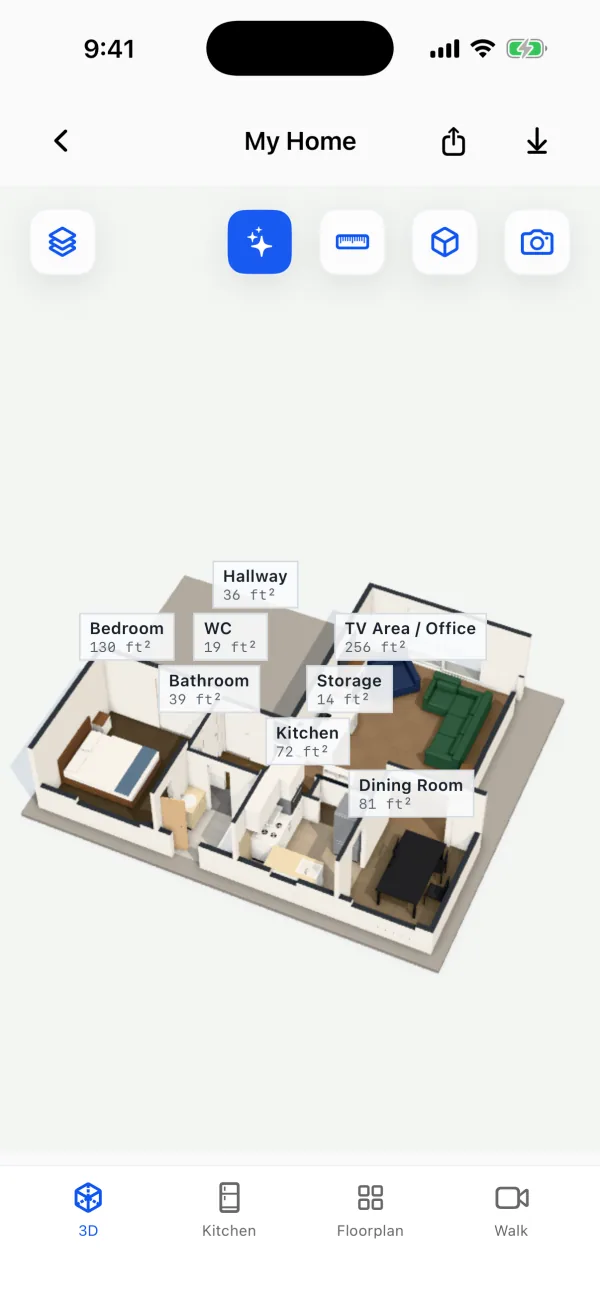
Close enough to plan a remodel and order materials. In a 2026 peer-reviewed study, an app built on RoomPlan found all 8 rooms of a house, and its total room area came within about 5% of a terrestrial laser scanner's model.[12] In our own office, PlaceAnew's scan put all 7 walls we could compare one to one within 2.5 inches of the hand-measured plan.[13]
The details, and where a scan is weaker, are in how accurate is Apple RoomPlan.
RoomPlan's limits, in Apple's own words
- Room size: Apple says one scan works best for a single room up to 30 by 30 feet.[14]
- Light: at least 50 lux. Turn the lights on.[14]
- Time: avoid single scans longer than 5 minutes: long scans drain the battery and heat the phone.[14]
- Mirrors and glass: full-height mirrors and glass walls are hard for the LiDAR Scanner.[14]
- High ceilings and dark surfaces can be out of the sensor's reach. Open the curtains so windows show, and close doors to rooms you are not scanning.[14]
- A whole floor: since iOS 17, RoomPlan can join room after room into one structure. Apple says that works best for single-floor homes up to about 2,000 square feet.[8] Bigger homes are scanned floor by floor; see can RoomPlan scan multiple rooms.
What you get from a RoomPlan scan, and what the app adds
RoomPlan itself hands the app a 3D model in one of two file formats, USD or USDZ, with the size of each wall, window, door and piece of furniture.[1] A USDZ file opens in 3D on any iPhone; what is a USDZ room scan explains it.
A 3D model is not yet a floor plan you can hand to a contractor, a real estate agent or an interior design client. That part is the app's job. In PlaceAnew:
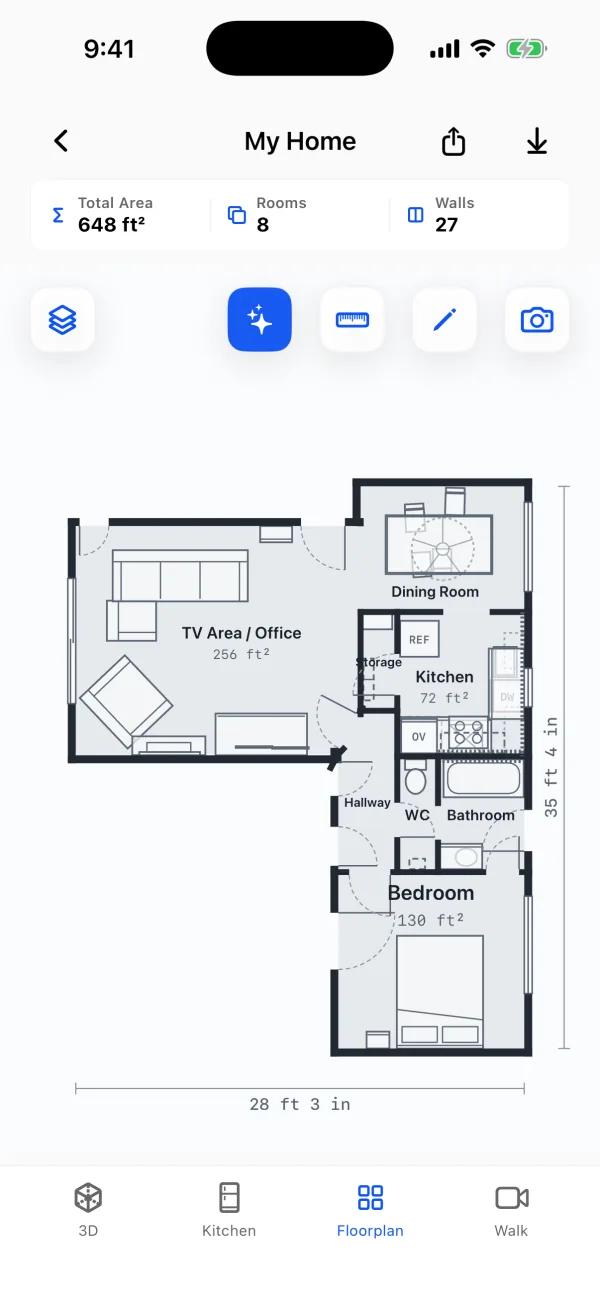
- The floor plan draws itself when you stop: rooms named and measured, doors and windows in place, the square footage of every room and the total.
- Nothing is hidden: a wall the scan could not see is drawn dashed, and anything filled in is marked "estimate".
- You can fix it: move a wall or a door, or rename a room, in the editor.
- The floor in each room: the PDF report lists the floor type it saw, such as wood, carpet or tile, marked "estimate".
- Walk: the video of your walk, lined up with the plan, so you can look at a corner again later.
- Files to share: PDF report, SVG drawing, DXF for CAD and USDZ 3D model.
How to use RoomPlan on your iPhone, step by step
Get PlaceAnew free on the App Store. It works on iPhone 12 Pro or a newer Pro model, or an iPad Pro from 2020 or later. You can scan without an account. Scanning, floor plans, 3D, editing, the kitchen designer with prices and exports are free.
- Download PlaceAnew and open it. Turn the lights on, open the curtains and the doors between rooms.
- Start a scan and point the camera at the floor and the first wall.
- Walk slowly, sweeping the camera from floor to ceiling along each wall. The outline builds on screen in real time as RoomPlan finds walls, doors and windows.
- Walk into the next room and keep going: the rooms join into one floor.
- Stop. The floor plan, the 3D model and the room list are ready. Share the PDF, or open the plan in the editor.
Tips for a clean first scan are in how to scan a room with your iPhone, and a whole floor in how to scan a whole house.
For developers: the parts of the RoomPlan iOS API
If you are building an app rather than scanning a room, these are the pieces of the RoomPlan API, sometimes called the RoomPlan SDK, that Apple gives you:
- RoomCaptureView shows Apple's own scanning screen, with coaching and the live outline. RoomCaptureSession runs the scan when you want your own screen instead.
- CapturedRoom is the result of one room: its walls, doors, windows, openings, floors and objects, each with its size, position and confidence.
- StructureBuilder joins several rooms into one CapturedStructure, a whole floor, since iOS 17.[15]
- Export writes the model as USD or USDZ for 3D tools.[14]
Apple's RoomPlan page and its WWDC22 and WWDC23 sessions are the place to start.
Questions about Apple RoomPlan
Is RoomPlan free?
RoomPlan is part of iOS, so it costs nothing in itself; each app built on it sets its own price. PlaceAnew is free on the App Store: Scanning, floor plans, 3D, editing, the kitchen designer with prices and exports are free.
Does RoomPlan work on Android?
No. RoomPlan is Apple's and runs only on iPhones and iPads with a LiDAR Scanner.
Does RoomPlan work on a regular iPhone, not a Pro?
No. RoomPlan needs the LiDAR Scanner, which only the Pro and Pro Max iPhones from iPhone 12 Pro on have, plus iPad Pro.[6]
Can RoomPlan scan a whole house?
Yes, one floor at a time. Since iOS 17 it joins room after room into one structure, best for single-floor homes up to about 2,000 square feet.[8] PlaceAnew scans each floor as you walk it.
Does RoomPlan make a 2D floor plan?
RoomPlan makes 3D models with measured parts. The 2D floor plan is drawn by the app on top of them: PlaceAnew draws it for you and exports it as a PDF report, an SVG drawing and DXF for CAD.
Is a RoomPlan scan private?
RoomPlan works on the device. In PlaceAnew, scanning, the plan and the 3D model are processed on the iPhone with no internet connection or account needed, and a scan leaves the phone only when you share it.
See RoomPlan at work in your own home: download PlaceAnew free on the App Store, walk one room, and the plan is ready when you stop.
Sources
- RoomPlan Overview - Augmented Reality - Apple Developer. Apple, 2026. Official documentation.
- RoomPlan | Apple Developer Documentation; WWDC22 session 10127. Apple, June 2022. Official documentation.
- How to Scan a Room Using LiDAR Technology. Houzz Pro Help Center, October 19, 2026. Official documentation.
- How to Use Room Scanner in Live Home 3D for iPhone and iPad. BeLight Software, 2026. Official documentation.
- RoomCaptureSession.isSupported (RoomPlan documentation). Apple Developer, 2022. Official documentation.
- Models with a LiDAR Scanner (iPhone User Guide, iOS 27). Apple Support, 2026. Official documentation.
- CapturedRoom.Surface.Category (RoomPlan documentation). Apple Developer, 2022. Official documentation.
- Explore enhancements to RoomPlan (WWDC23 session 10192). Apple Developer, June 2023. Official documentation.
- CapturedRoom.Object.Category (RoomPlan documentation). Apple Developer, 2022. Official documentation.
- CapturedRoom.Section and CapturedRoom.Section.Label (RoomPlan documentation). Apple Developer, 2023. Official documentation.
- CapturedRoom.Confidence. Apple Developer, 2026. Official documentation.
- A Comparative Study of Mobile Device and Terrestrial Laser Scanning-Based Scan-to-BIM Workflows (Ersoz and Bosché). ISARC 2026 proceedings, IAARC, 2026. Peer-reviewed study.
- PlaceAnew office check, November 2026 (raw data, CSV). PlaceAnew, November 8, 2026. Our own measurement.
- Create parametric 3D room scans with RoomPlan (WWDC22 session 10127). Apple Developer, June 2022. Official documentation.
- CapturedStructure (RoomPlan documentation). Apple Developer, 2023. Official documentation.