How to measure square footage of a room: tape and math, or one scan
Short answer
Measure the floor's length and width from wall to wall, turn the inches into feet by dividing them by 12, and multiply: the answer is in square feet. Split an L-shaped room into rectangles and add them. Faster: scan the room with PlaceAnew, a free app for iPhone Pro and iPad Pro on the App Store. It shows each room's square footage and the total.
Reviewed 2 sources7 min read
Measure a room with a tape: five steps
- Find a clear line along the floor. Measure at floor level, from wall to wall, not across the tops of furniture or at waist height.
- Measure the length, the longer side, and write it down in feet and inches. Hook the tape on one wall and pull it straight to the opposite wall.
- Measure the width the same way, at a right angle to the length. Old walls are rarely perfectly parallel: measure each side near both ends and use the average.
- Turn the inches into feet. Divide the inches by 12 and add the result to the feet.
- Multiply length by width. The answer is the room's square footage.
Worked example. Your tape reads 13 ft 4 in by 11 ft 9 in. Four inches is 4 ÷ 12 = 0.33 ft and nine inches is 9 ÷ 12 = 0.75 ft, so the room is 13.33 × 11.75 = 156.7 sq ft.
The mistake almost everyone makes: inches are not decimals
11 ft 9 in is 11.75 ft, not 11.9 ft. Type 13.4 × 11.9 into a calculator and you get 159.5 sq ft instead of 156.7: almost 3 sq ft off in one bedroom, and the error grows with every room you add. Use this table, or divide by 12.
| Inches | Feet | Inches | Feet |
|---|---|---|---|
| 1 in | 0.08 ft | 7 in | 0.58 ft |
| 2 in | 0.17 ft | 8 in | 0.67 ft |
| 3 in | 0.25 ft | 9 in | 0.75 ft |
| 4 in | 0.33 ft | 10 in | 0.83 ft |
| 5 in | 0.42 ft | 11 in | 0.92 ft |
| 6 in | 0.50 ft |
L-shaped and odd-shaped rooms: split them into rectangles
Sketch the room on paper first. Draw a line from the inside corner of the L to the opposite wall: now it is two rectangles. Measure each one, work out its area, and add them. Measure the second rectangle only from the line you drew, so no strip of floor is counted twice.
Worked example. A living room of 15 ft 4 in by 12 ft 9 in, with a dining nook of 6 ft 6 in by 5 ft off one end. The main part is 15.33 × 12.75 = 195.5 sq ft, the nook 6.5 × 5 = 32.5 sq ft, and the room 195.5 + 32.5 = 228.0 sq ft.
- An angled wall cuts a triangle off a rectangle. A triangle's area is half its base times its height: work out the full rectangle and take the triangle away.
- A chimney breast or a column is not floor. Measure it like a small rectangle and subtract it when you are buying flooring.
- A bay window is its own small rectangle or trapezoid. Add it if the floor runs into it.
Already have the numbers? The square footage calculator adds rectangles and takes out cut-outs for you, in feet and inches or meters, and shows the math line by line.
Closets, doorways and furniture
- Closets. Measure each closet as its own rectangle. Add it when you are buying flooring or carpet for it; leave it out when you only want the size of the room.
- Doorways. Measure wall to wall and ignore the opening. The strip of floor under a door belongs to whichever floor runs through it.
- Furniture against the walls. Measure along an open strip of floor beside it, or along the wall just above it on the same line. Do not move the sofa; just keep the tape level and straight.
- A sketch with every number on it. Write each length on the drawing as you go. Most mistakes by hand are a number written down wrong or a closet forgotten, not the tape.
The faster way: scan the room with the PlaceAnew app
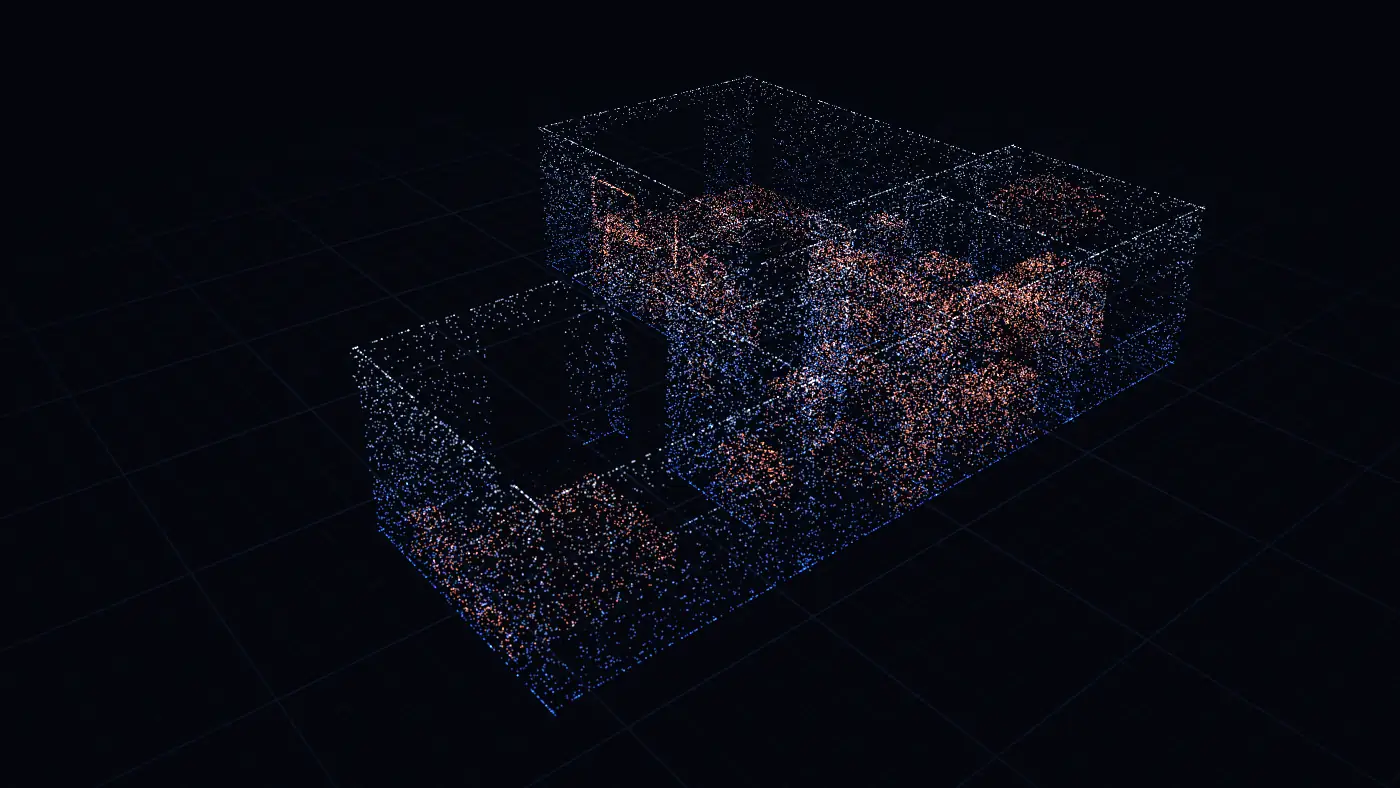
PlaceAnew is a free app for iPhone Pro and iPad Pro, on the App Store. It uses the phone's LiDAR Scanner with Apple's RoomPlan to find the walls, doors and windows as you walk, and works out each room's area from the walls it found, whatever the shape. No tape, no sketch, no inches to convert, and nothing to type: you walk, the app measures.
Get PlaceAnew free on the App Store. It works on iPhone 12 Pro or a newer Pro model, or an iPad Pro from 2020 or later. You can scan without an account. Scanning, floor plans, 3D, editing, the kitchen designer with prices and exports are free.
- Download PlaceAnew from the App Store and open it.
- Start a scan. Turn the lights on and point the camera at the floor and the first wall.
- Walk the room slowly, sweeping the camera from floor to ceiling along each wall. A typical room takes a minute or two.
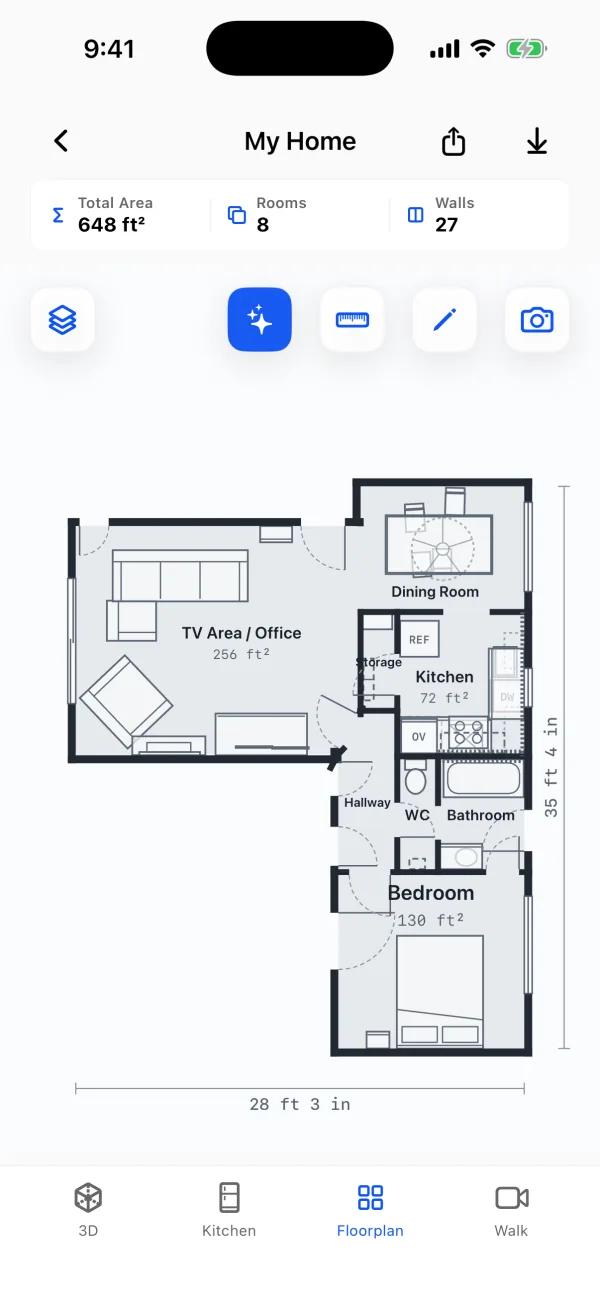
- Stop. The Floorplan tab shows the room's name and square footage, and the total of every room you walked.
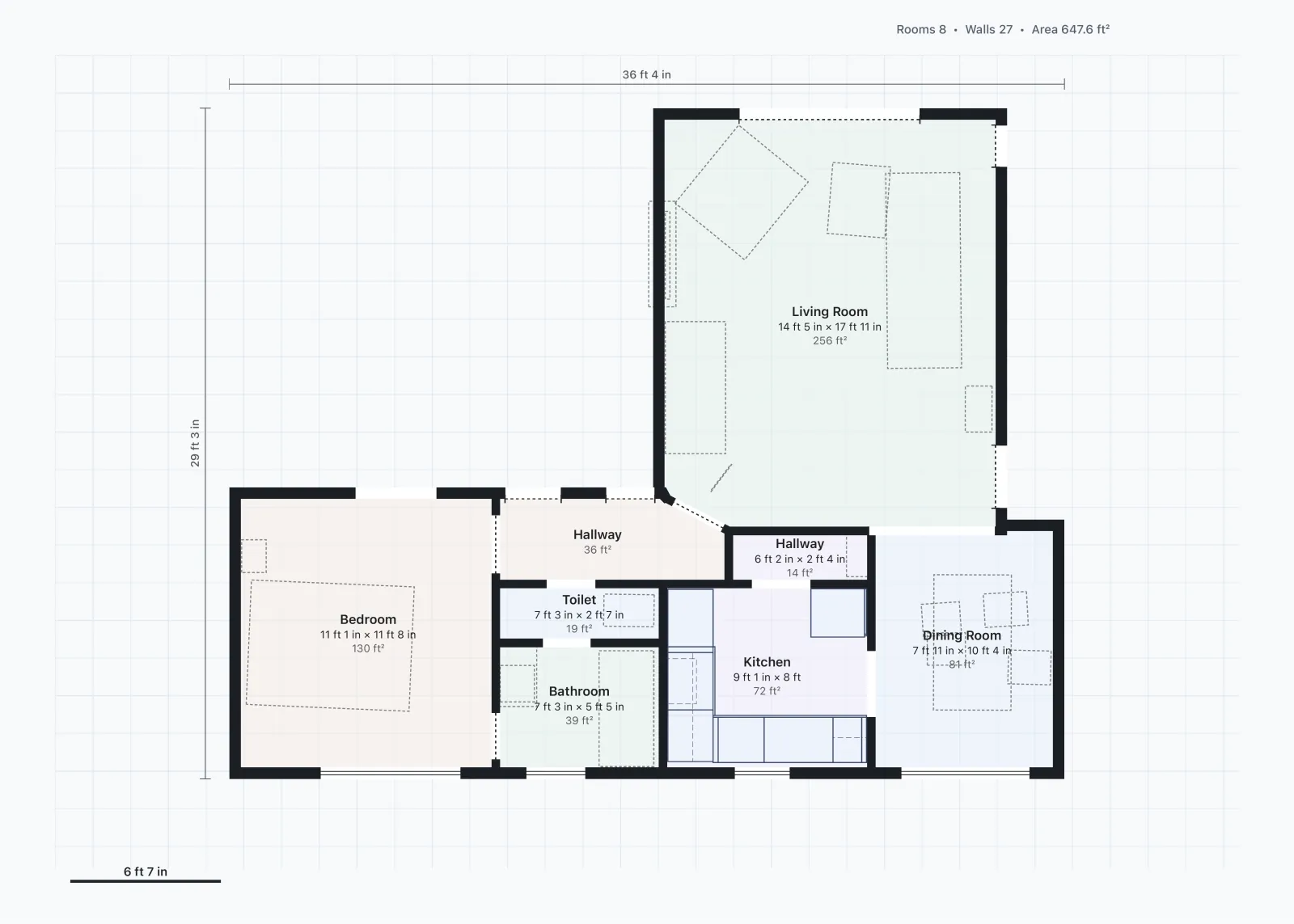
The PDF floor plan shows the same two numbers you would measure by hand, length and width, beside a room's area, so you can see where the area comes from.
Tape or scan: one room, side by side
| Tape and paper | PlaceAnew scan | |
|---|---|---|
| Time for one room | 8 min 43 s for the walls only | 44 s, doors, windows and furniture included |
| L-shapes and angles | Split and add by hand | Measured from the walls it found |
| Inches to feet | By hand | Nothing to convert |
| What you keep | A sketch | A floor plan, a 3D model and a PDF report |
The scan is close to a careful tape. In our own office, PlaceAnew put the office at 195 sq ft against 197 sq ft on the hand-measured floor plan, and all 7 walls we could compare one to one came within 2.5 inches.[2] Every row is in How accurate is PlaceAnew?
More than the number: the floor in every room
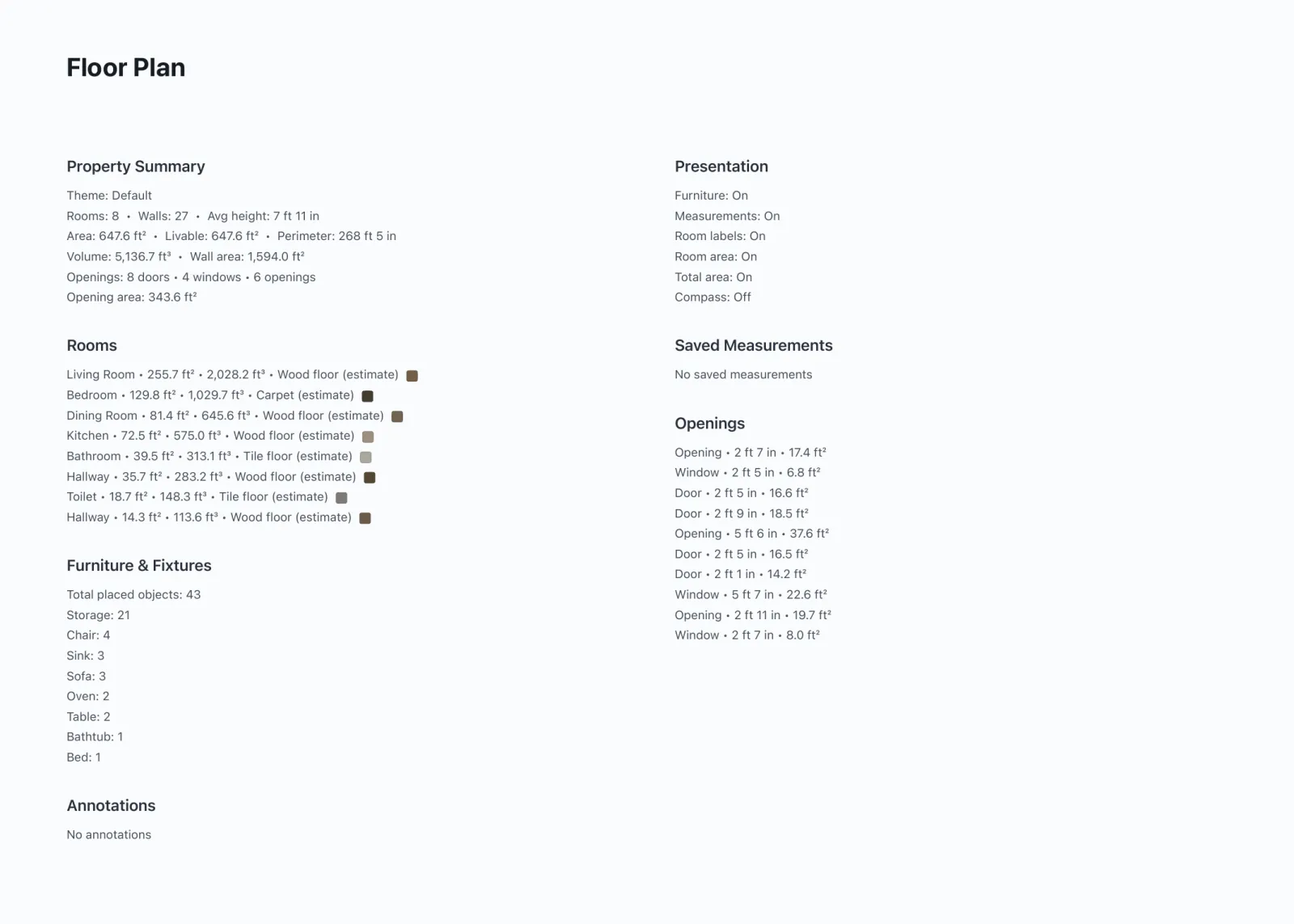
A tape gives you a size. The scan also reads the floor: the PDF report lists every room with its area and the floor type it saw, such as wood, carpet or tile, marked "estimate" because it is read from the video of your walk. That is the start of a flooring order or a remodel quote, room by room.
Measuring every room in the house? How to measure square footage of a house covers hallways, stairs, floors and what a listing counts. More on the phone side: how to measure square footage with your iPhone.
Questions about measuring a room's square footage
Is there an app that measures the square footage of a room?
Yes. PlaceAnew is free on the App Store. Walk the room with iPhone 12 Pro or a newer Pro model, or an iPad Pro from 2020 or later and it shows the room's square footage, every other room you walked and the total.
Do I have to type in the sizes?
No. PlaceAnew measures the walls itself with the LiDAR Scanner while you walk. If a name is wrong or two spaces should be one, fix it in the editor: rename the room or move a wall.
Is square footage the same as square feet?
Yes. Square footage is an area measured in square feet: a square one foot on each side. Length in feet times width in feet gives it.
How do I turn square feet into square yards or square meters?
Divide square feet by 9 for square yards, the unit carpet is often sold in, and multiply by 0.0929 for square meters. The 156.7 sq ft room above is 156.7 ÷ 9 = 17.4 square yards, or 156.7 × 0.0929 = 14.6 square meters. A square foot is 144 square inches: 12 × 12.
How do I get the cost of materials from the square footage?
Multiply the room's square footage by the price per square foot of the flooring or tile you pick, then add the extra the maker or your installer asks for cuts and waste. The PlaceAnew PDF report lists every room's area, so the cost of materials starts from a measured number for each room.
How do I measure the square footage of a whole house?
Add up every room, floor by floor, for flooring and planning; a listing or an appraisal measures each floor from the outside instead. Both ways are in how to measure square footage of a house.
Can I measure a room without a tape measure?
Yes: with a laser meter one wall at a time, or with a LiDAR scan of the whole room at once. See how to measure a room without a tape measure.
Does PlaceAnew work on Android?
No. PlaceAnew is built on Apple's RoomPlan and runs on iPhone 12 Pro or a newer Pro model, or an iPad Pro from 2020 or later.
Get the room's size the fast way: download PlaceAnew free on the App Store, walk the room, and the square footage is on the plan when you stop.
Sources
- PlaceAnew time test, November 2026 (raw data, CSV). PlaceAnew, November 9, 2026. Our own measurement.
- PlaceAnew office check, November 2026 (raw data, CSV). PlaceAnew, November 8, 2026. Our own measurement.