
Making a real estate floor plan with an iPhone
Short answer
Yes, with iPhone 12 Pro or a newer Pro model, or an iPad Pro from 2020 or later. Their LiDAR Scanner measures walls, doors and windows as you walk, and PlaceAnew draws the floor plan on the phone with every room named and measured, with no upload and no wait. The same scan also exports a PDF report, SVG drawing, DXF for CAD and USDZ 3D model.
Which iPhones can do it
Room scanning needs the LiDAR Scanner, which measures distance with light: iPhone 12 Pro or a newer Pro model, or an iPad Pro from 2020 or later. Apple's RoomPlan, the technology PlaceAnew is built on, runs on all of these LiDAR iPhone and iPad Pro models.[1] Other iPhones can take photos for the listing but cannot measure a floor plan this way.
Drawn on the phone, before you leave the driveway
PlaceAnew processes the scan on the device. There is no upload, no queue and no "your plan will be ready tomorrow". When you stop walking, the plan is drawn: walls straightened, rooms named and measured, doors and windows in place. You can check it, fix a wall or rename a room on the spot, while you can still look at the room.
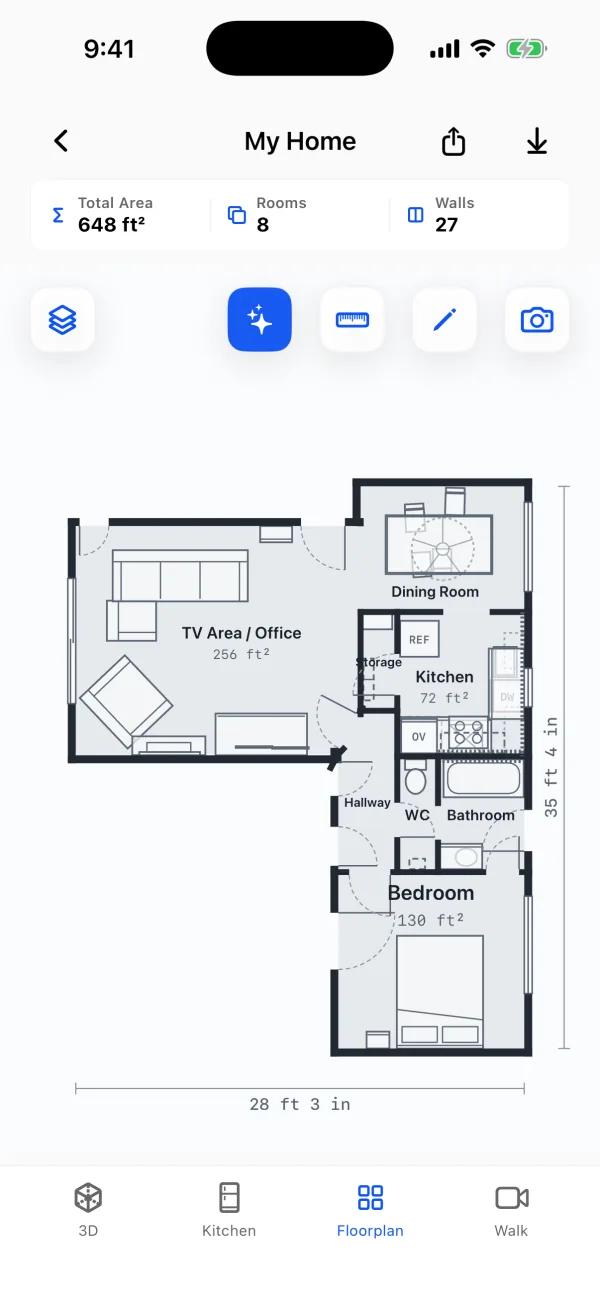
One scan, every file the listing needs
| File | Use it for |
|---|---|
| PDF report | The plan with every room's area, and the doors and windows: the listing packet, the brochure, the seller |
| SVG drawing | A designer who restyles the plan for your brand |
| DXF for CAD | An architect or contractor the buyer hires after closing |
| USDZ 3D model | A 3D view of the home with its furniture |
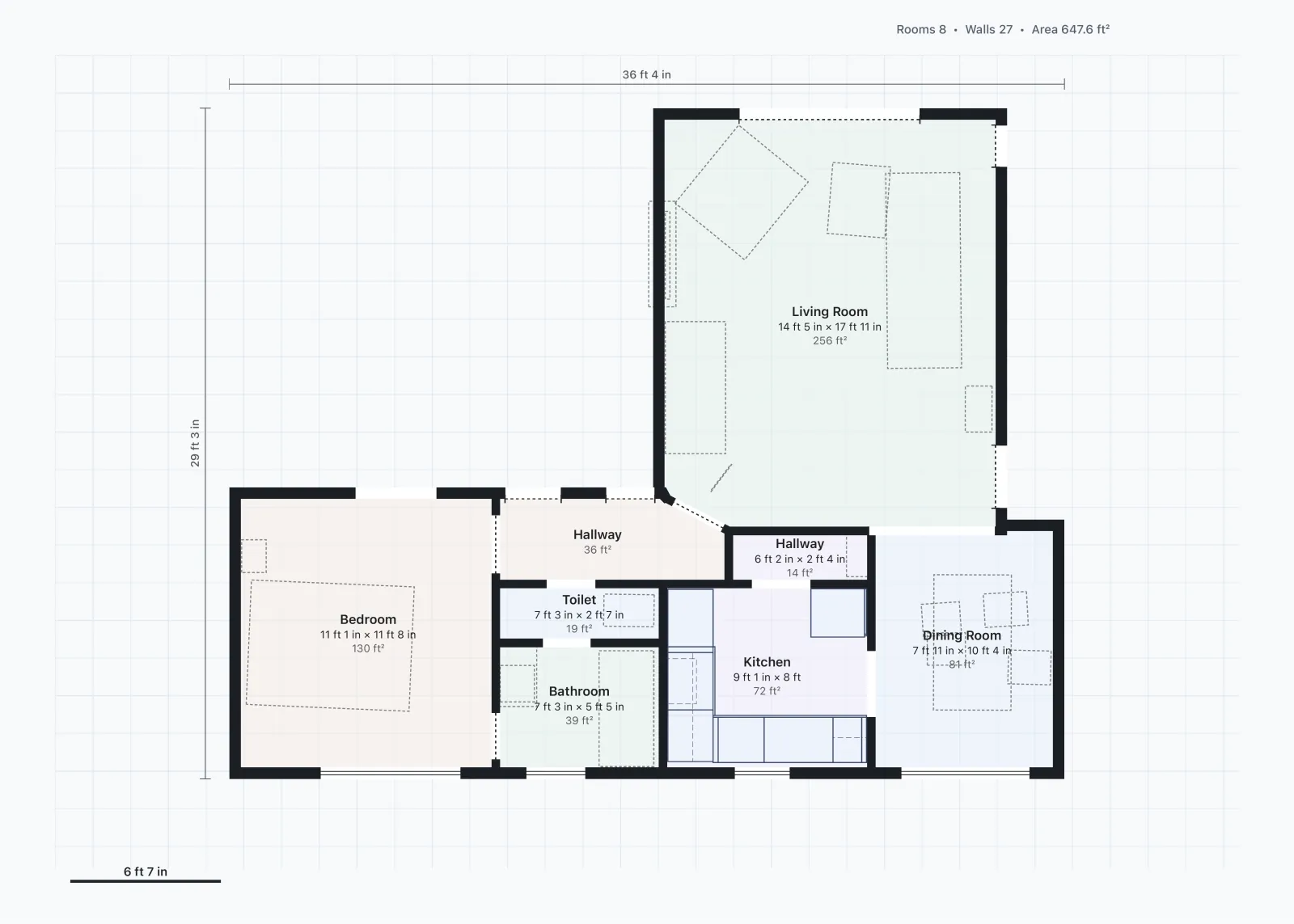
How good is an iPhone floor plan?
Good enough to sell from. In a 2026 peer-reviewed study, an iPad app on the same Apple RoomPlan technology found all 8 rooms of a house, and room shapes matched a terrestrial laser scan closely, with total room area within about 5%.[2] Listing plans show approximate sizes; that is the right use for it.
It is not an appraisal measurement. Appraisals for Fannie Mae loans report gross living area measured under ANSI Z765-2021.[3] A phone scan of the rooms is a different measurement, so keep the official square footage from its own source.
Getting a clean scan
- Light: Apple recommends at least 50 lux; switch on the lights and open the blinds.[1]
- Mirrors and glass: full-height mirrors and glass walls are hard for LiDAR.[1] Check those walls on the plan.
- Size: Apple designed multi-room scans for single-floor homes up to about 2,000 square feet; scan larger homes floor by floor.[4]
- Pace: walk calmly and sweep each wall from floor to ceiling.
Questions about iPhone floor plans
Do I need an account or internet to scan?
No. Scanning works offline and the plan is made on the phone.
How do I get the plan into the listing?
Export the PDF report and save the plan page as a JPG for the listing photos. The step-by-step is in how to make a floor plan for a listing.
What does it cost?
Scanning, floor plans, 3D, editing, the kitchen designer with prices and exports are free.
Sources
- Create parametric 3D room scans with RoomPlan (WWDC22 session 10127). Apple Developer, June 2022. Official documentation.
- A Comparative Study of Mobile Device and Terrestrial Laser Scanning-Based Scan-to-BIM Workflows (Ersoz and Bosché). ISARC 2026 proceedings, IAARC, 2026. Peer-reviewed study.
- B4-1.3-05, Improvements Section of the Appraisal Report. Fannie Mae Selling Guide, June 4, 2025. Official documentation.
- Explore enhancements to RoomPlan (WWDC23 session 10192). Apple Developer, June 2023. Official documentation.
Last reviewed November 8, 2026 by the PlaceAnew team at US Construction Remodeling Corp., a licensed California contractor (CSLB License #1117562).